Enterprise Service Management.
Right Inside Microsoft Teams.
Jira-level issue tracking structured workflows, SLAs, approvals, sprints and AI automation without asking your teams to leave the tools they already use every day.
One governed service platform across every department
pEntities Ticketing is an enterprise-grade issue tracking and service management platform built natively inside Microsoft Teams. It delivers Jira-level functionality without asking your teams to leave the collaboration environment they already use.
Ticketing lives where the conversation lives. A single deployment serves IT, HR, Finance, Legal and every other department at once each with its own agents, roles and visibility rules.
Your tenant, your data. Everything runs inside your own Azure subscription as a Managed Application, so your data never leaves your tenant, and the publisher manages the app lifecycle for you.
All of it is live. Nine work views, a deep ticket data model, an SLA breach engine, a no-code Durable-Functions workflow engine, real-time Teams and email notifications, a built-in AI (MCP) tool surface, and an integration layer spanning email ingest, webhooks, a REST API and Microsoft Planner.
The depth mature IT and dev teams expect out of the box
SLAs, approvals, links, repro fields and worklogs, with nine purpose-built views and a data model that handles real enterprise scenarios without months of configuration.
1 · One system, every kind of work
12 issue types · 9 business domains · multi-department, single deployment
- Software development Bug, Story, Task, Sub-Task, Epic, Improvement, New Feature.
- IT operations Incident, Problem, Change.
- Business services Service Request, Question.
- Nine domains IT, HR, Finance, Legal, Facilities, Marketing, Operations, Customer Support and Other, each with their own agents, roles and visibility rules.
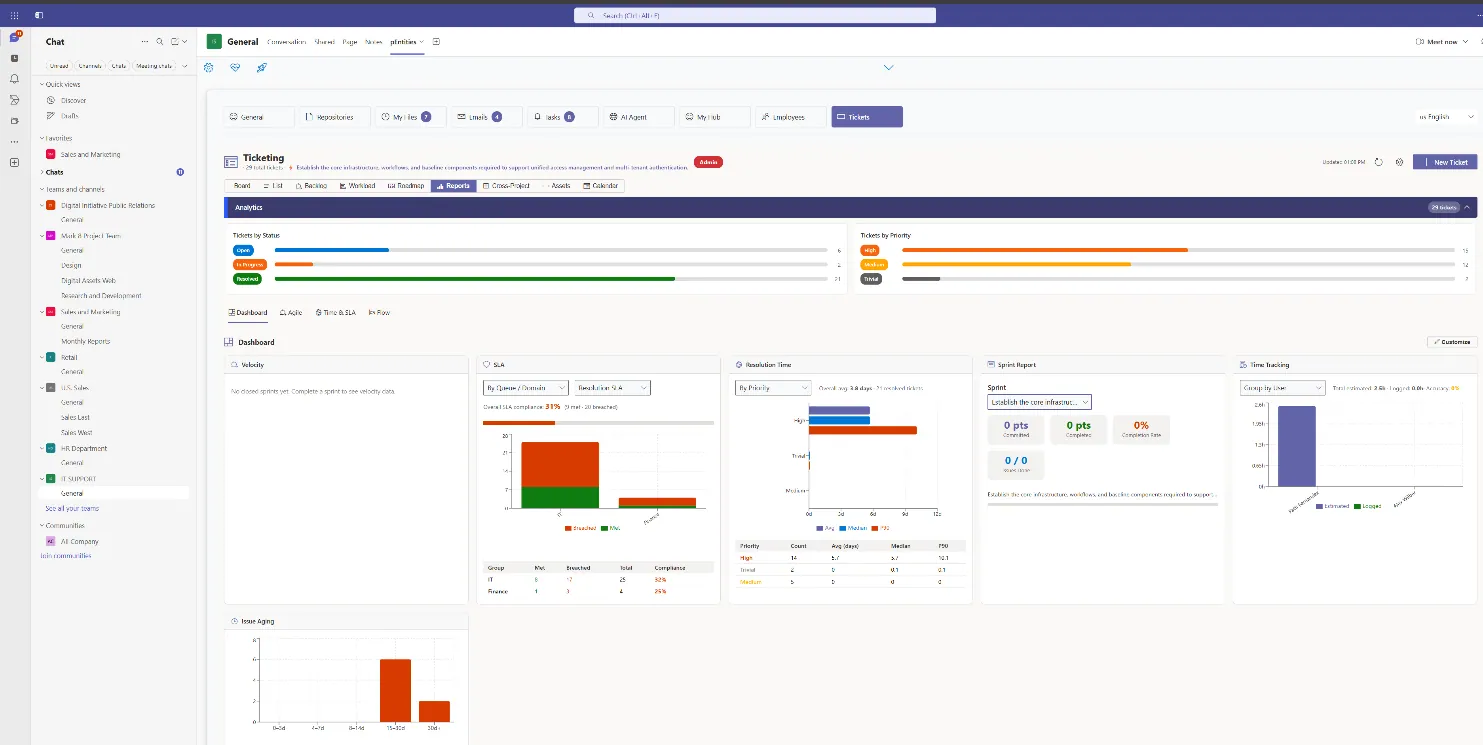
2 · A production-grade ticket data model
8 statuses · 6 priorities · 7 resolutions · 14 link types · 22 activity types
- Classification 8 statuses (Open through Cancelled), 6 priorities from Trivial to Blocker, 7 resolution outcomes.
- Project hierarchy Projects → Epics → Sprints → Tickets → Sub-Tasks, fully linked.
- SLA tracking response and resolution deadlines with breach detection, business-hours-aware elapsed time, progress bars and auto-escalation.
- Time & bugs story points, estimates, worklog history, plus steps-to-reproduce and browser/OS/build environment.
- 14 link types & 22 activity types Blocks, Clones, Duplicates, Relates and more, over a full immutable audit trail.
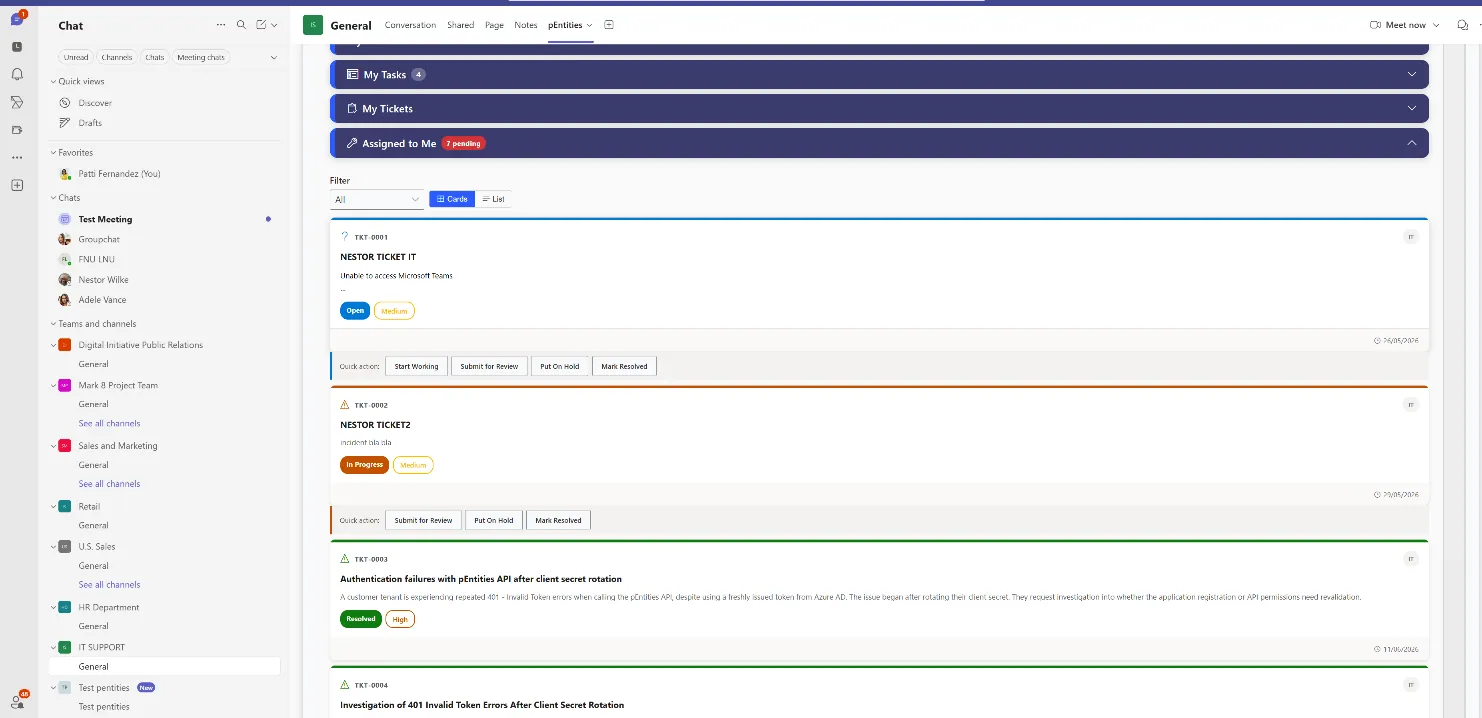
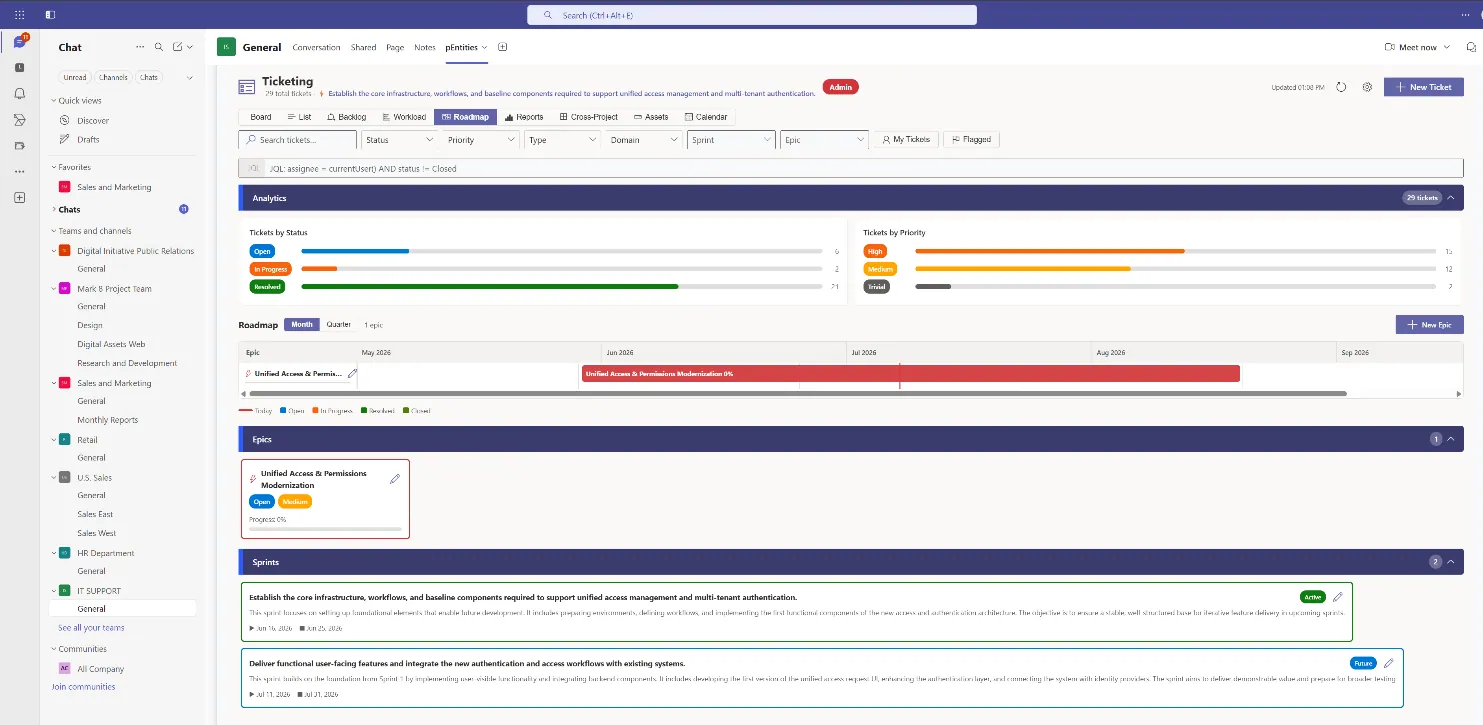
3 · Nine ways to see the work
Board · List · Backlog · Workload · Roadmap · Reports · Cross-Project · Assets · Calendar
- Board (Kanban) drag-and-drop across status columns with real-time write-back.
- List & Backlog sortable, filterable table with bulk operations; sprint lanes with velocity tracking.
- Workload & Roadmap an assignee heatmap that surfaces overload, and a Gantt timeline for delivery forecasting.
- Reports, Cross-Project, Assets & Calendar cumulative-flow and velocity analytics, portfolio views, a CMDB, and a change calendar.
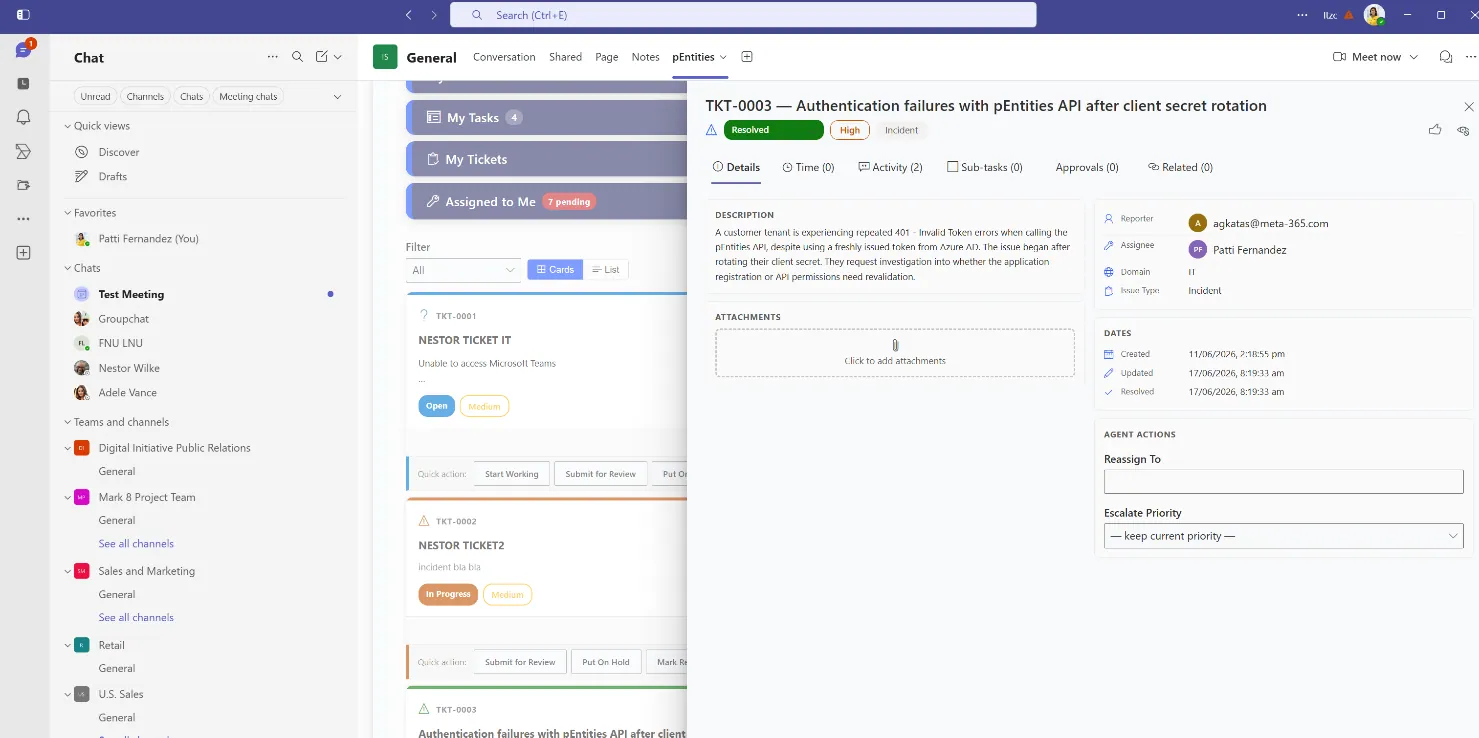
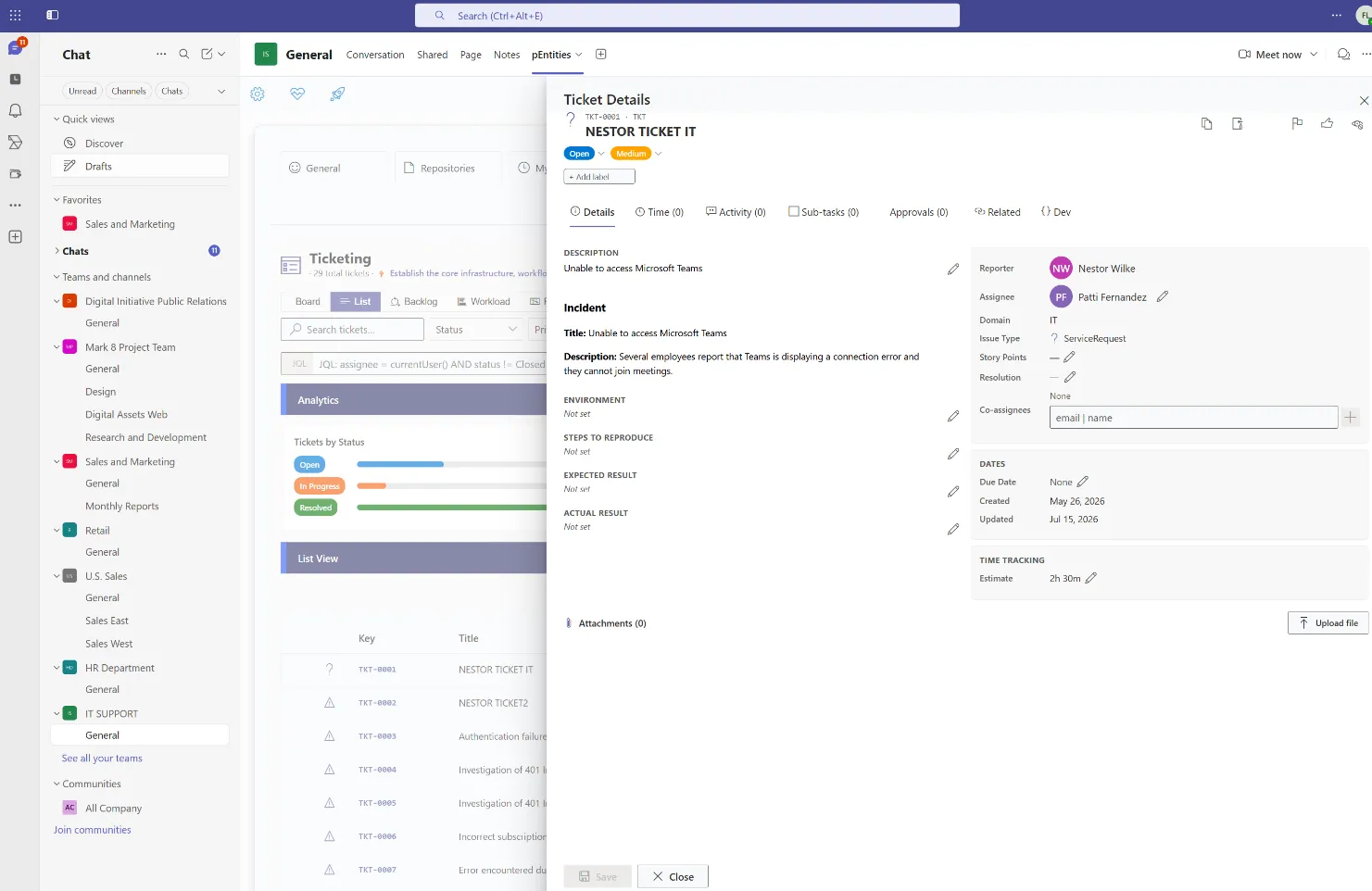
4 · The ticket detail panel
Details · Time · Activity · Sub-tasks · Approvals · Related
- Details & Time core fields, classification, people and custom fields, plus estimates and the full worklog.
- Activity the complete audit timeline, with internal notes visually distinguished from public comments.
- Sub-tasks, Approvals & Related child-task progress, the approval pipeline with per-step decisions, and issue links to internal and external systems.
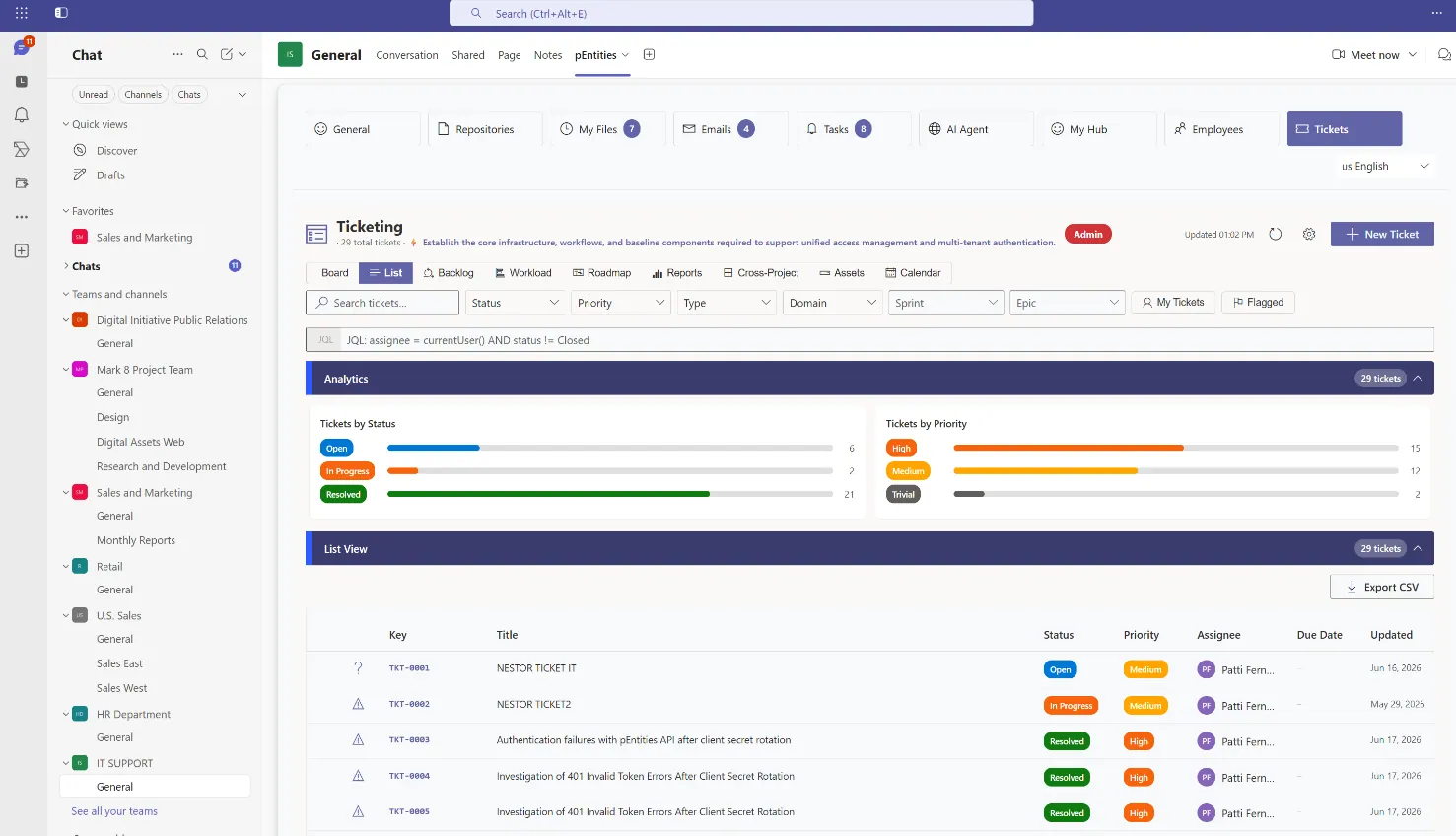
5 · SLA management & auto-escalation
timer engine every 15 min · breach detection · priority auto-escalation
- Breach detection an always-on engine monitors every active ticket on a 15-minute timer and flags crossed deadlines.
- Priority auto-escalation a breached ticket is bumped one level up the severity ladder automatically.
- Audit & fan-out the SLA Monitor appends a system activity, fires a workflow event, and notifies managers, assignee and reporter.
- Business-hours aware elapsed time honours a per-store business-hours policy; the same timer drives overdue-approval reminders and recurring tickets.
Automate the routine, govern the access, connect the tools
A no-code workflow engine, real-time notifications, least-privilege roles, and an open edge that fits the systems you already run with AI participating from day one.
6 · No-code workflow automation
Durable Functions · 38 trigger types · 19 node types · shipped templates
- 38 trigger types entity and field changes, schedules, email arrival, Teams, SharePoint, HR/Legal events, finance thresholds and the full ticket lifecycle.
- 19 node types condition, switch, foreach, do-until, parallel, approval, delay, HTTP, run-workflow and more, with fan-out sub-orchestrations and external-event waits.
- Action library create Planner tasks, send and manage email and SharePoint, run analysis and invoke AI-backed actions.
- Shipped templates acknowledge new ticket, SLA escalation, incident response, auto-assign by domain, and an email → ticket router.
7 · Real-time notifications
Teams Adaptive Cards + email · configurable notification scheme
- Two channels Teams Adaptive Cards posted via Microsoft Graph on behalf of the acting user, and email from a system sender.
- Event routing created, status, assignment, comment, priority, SLA breach, approvals, resolution and @mentions each reach exactly the right people.
- Private agent channel internal notes are suppressed from external notifications and routed only to agents; the acting user is never self-notified.
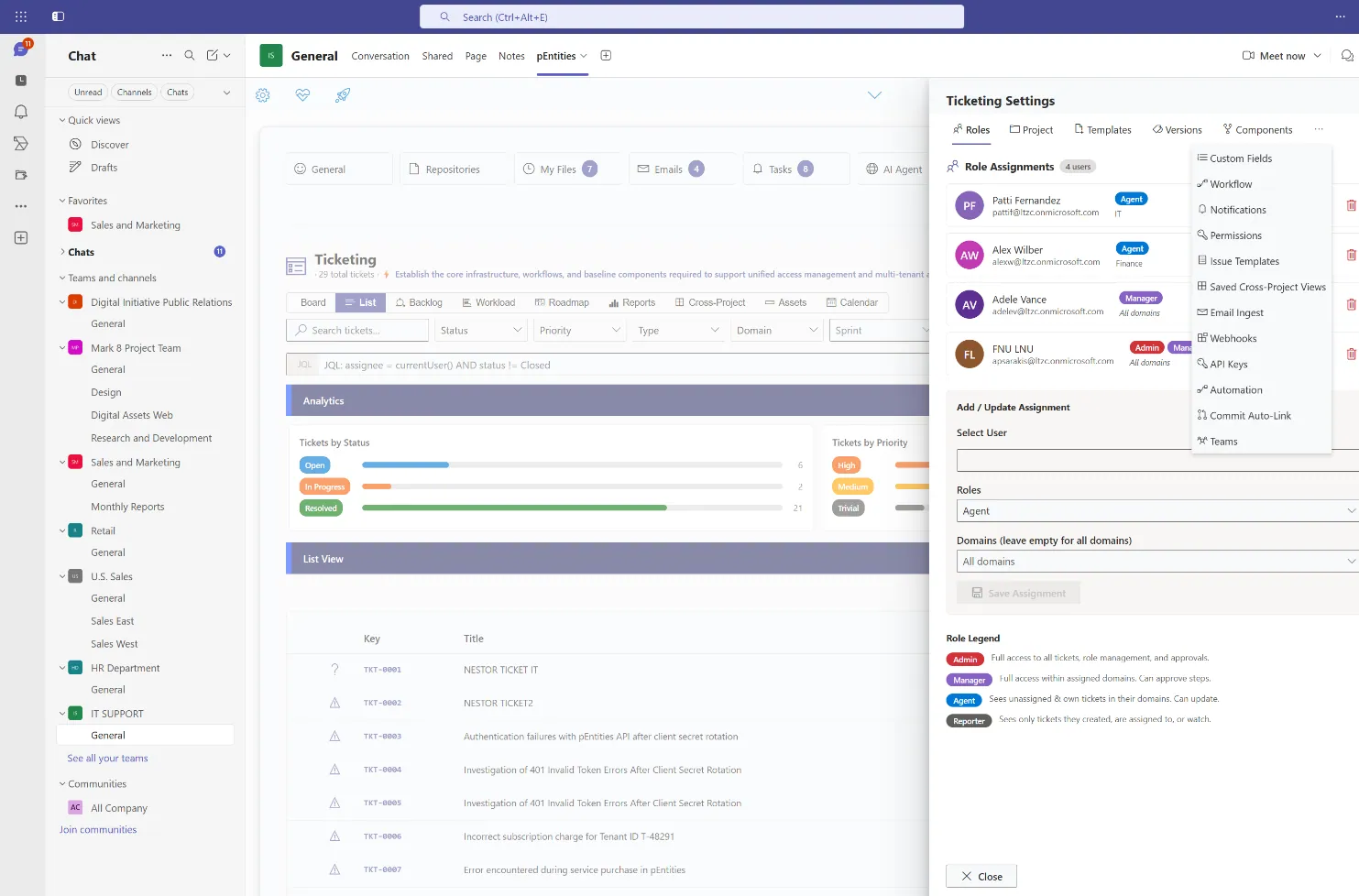
8 · Governance & role-based access
AAD app roles + per-store roles · domain-scoped permissions
- Two layers privileged AAD app roles (HRAdmin, Manager, TicketSupervisor) that see all stores, and per-store roles (Admin, Manager, Agent, Reporter) scoped to specific domains.
- Permission grants from create/edit-own for all roles up to delete and role management for Admin only, governed by a permission scheme.
- Guardrails reassignment is Manager/Admin-only, explicit per-user denials override grants, and every request validates the caller's token first.
9 · Configuration & extensibility
templates · versions · components · custom fields · saved filters · recurring tickets
- Issue templates quick-raise forms that pre-fill type, domain, priority and description for common requests.
- Custom fields, versions & components extend the schema and manage releases used in classification and filtering.
- Saved filters & recurring tickets store the searches a team runs often; daily/weekly/monthly templates the SLA timer instantiates automatically.
10 · Integration & AI surface
email ingest · outbound webhooks · REST API keys · Planner · MCP AI tools
- Open at the edges inbound email turned into tickets, outbound webhooks on ticket events, scoped REST API keys and a two-way Microsoft Planner bridge.
- AI agents via MCP four ticketing tools exposed through a built-in Model Context Protocol server: create, update, reassign and create-from-email with Azure OpenAI classification.
- AI from day one tools are gated per model tier, and agents can run as nodes inside the workflow engine for autonomous triage and resolution.
Why pEntities Ticketing, not another tracker
Native Teams experience
The full ticketing lifecycle happens where conversations already happen no separate portal.
Zero-infrastructure SaaS
Deployed as an Azure Managed Application, so you own your data and control your cost while the publisher manages the app lifecycle.
AI-ready by design
MCP tools, workflow nodes and Planner bridging let AI agents participate in ticket resolution from day one.
Enterprise data model
SLAs, approvals, 14 link types, repro fields, worklogs, versions and CMDB/DevOps links with no months of configuration.
Multi-domain, single deployment
IT, HR, Finance, Legal and more each get a governed, role-isolated view on shared infrastructure.
Purpose-built modules for the work your teams actually do
One platform, four specialised modules each with its own domain AI agent, all running inside Microsoft Teams on the data you already own.
HR Module
The full employee lifecycle onboarding with automatic task lists, leave with multi-level approval, performance reviews, training tracked to its expiry date and payroll analysis. The HR agent spots compliance risks and writes the reports for you.
Explore HR →Legal Module
Every case tracked from pre-trial to appeal court, lawyers, opponents, confidentiality level, financial exposure and risk. Contracts carry milestones, auto-renewal detection and signature history, while the agent analyses timelines and exposure scenarios.
Explore Legal →Ticketing Module
Every request handled with precision IT, HR, finance or legal. Real-time tracking, automatic notifications, approval flows and full history, with priorities, SLAs and automation rules that work without anyone intervening.
Explore Ticketing →Finance Module
Invoices, expenses, purchases, budgets, receivables and tax data organised by fiscal year. Every figure links back to its original email, document and approval task full traceability, and an agent that spots trends and deviations.
Explore Finance →Frequently asked questions
Can I run a helpdesk inside Microsoft Teams?
Yes. Meta-365 provides a Teams-native service desk with per-category SLA clocks, five priority levels, auto-assignment, AI triage and SLA-breach escalation, all operated from within Microsoft Teams.
Can customers raise tickets without a Microsoft 365 account?
Yes. External customers submit and track tickets through a PIN-link portal that requires no Microsoft 365 account and no licence, while your agents work inside Teams.
How is ticketing priced compared with per-agent tools?
Meta-365 is priced per tenant rather than per agent, so the cost does not rise as you add service-desk staff. Most Teams ticketing tools charge per agent per month.
Where do tickets and attachments live?
No. Meta-365 runs as a managed application inside your own Microsoft 365 tenant, so documents, emails and records stay in your existing SharePoint, Outlook and Planner. There is no migration to a vendor cloud and no new data silo to security-review.